
Submit Absence Excuses using ParentSquare Starting Monday!
**Please take a few minutes to read this important information that applies to all students K-12 attending PVES, PVIS, and PVJSHS**
We are excited to share a new and simpler way for families to report when students are absent. This new way uses ParentSquare. You will no longer need to write notes or remember to send an email when your child is absent.
Starting Monday, you will automatically get a message through ParentSquare if your child is marked absent. You will get this message by text, email, and/or as an app notification. Families at PVJSHS will get a message at 8:15 a.m. Families at PVIS/PVES will get a message at 10:15.
On some days, you might get a text even if your child was only late. If you know your child was late, and you get an alert, you do not need to send a note. This happens because there may be limited staff in the office or a pressing matter came up that prevented tardy information to be entered before alerts went out. This will be fixed by the end of the day in Sapphire.
All you need to do is click the link in the text message, email, or app notification. This will bring up the information in the ParentSquare app or website, Then, click the "send note to school" button.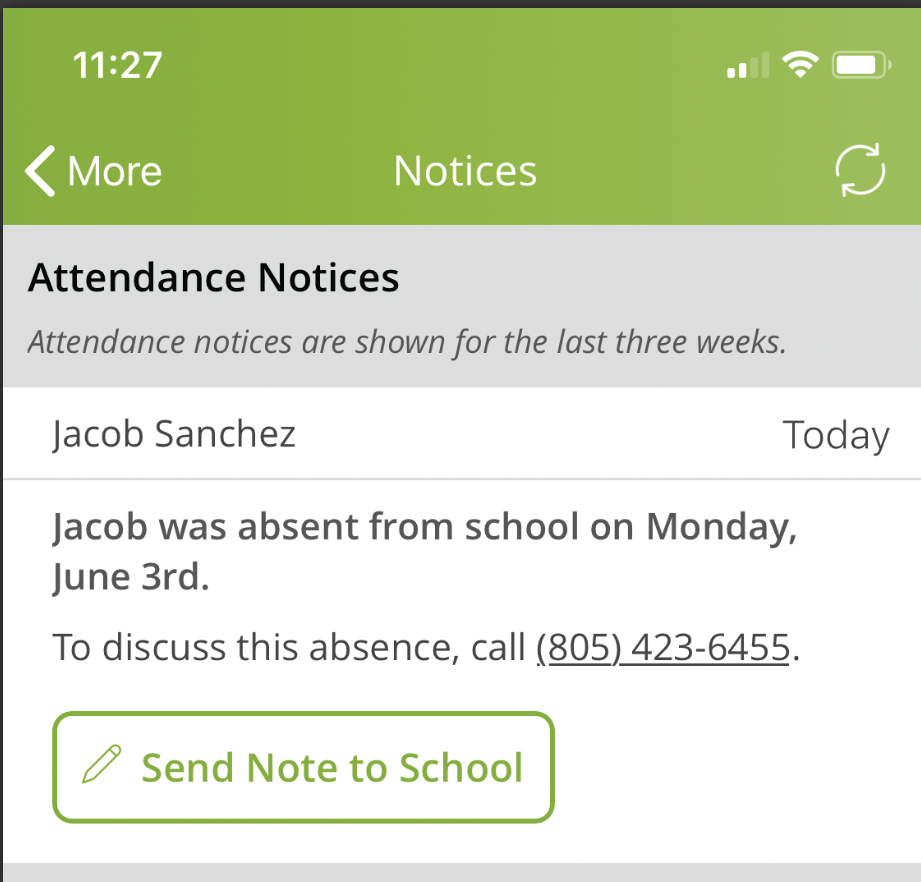
Type the reason for the absence and click submit. It can be very short. For example, you can write, "Jacob threw up last night."
Please note that if you need to submit a doctor's note, you must send it by email to the correct attendance email address or send in the paper copy.
- Elementary - pvesattendance@panthervalley.org
- Intermediate - pvisattendance@panthervalley.org
- Junior Senior High - pvjshsattendance@panthervalley.org
Doctor's notes are needed for absences that are 3 or more days in a row. They are also needed if a child has already been absent for 10 days this school year.
The link to report an absence will be open for 5 days. After 5 days, you can no longer send an excuse. It is best to send the excuse right after you get the notification. After 5 days, the absence will be marked as unexcused. If a child has 6 or more unexcused absences, a Student Attendance Improvement Conference must be scheduled.
We ask that you use this method to send excuses. Please do not message individual teachers about students being absent.
Once you send your excuses, the attendance secretaries will update Sapphire within 1-2 school days. Please be patient while we update absence codes. If you do not see the change after 5 days, please call the office to check on the absence.
We do anticipate discontinuing the daily phone call when your child is absent after using this new feature for a short period of time. Remember that ParentSquare works using the information we have in Sapphire. If you change your phone number or email, please call the school office to update that information.
If you've opted out of ParentSquare notifications, you will also not receive the alert that you child is absent.
If you have trouble accessing your ParentSquare account, please email palazzor@panthervalley.org